Tips for Moodle Video Assessments
Don't film the video at the highest resolution that your phone or camera will support. Setting it to 480p will be good enough and keep the file sizes as small as possible. This will make it easier to upload the file. When you are using broadband upload speed is often a lot slower than download so large files can take a long time. This is almost always the reason for slow uploads, not the system you are uploading to, whether it is through Moodle or another system.
Lower resolution will be good enough for almost all circumstances. Remember that for most assignments you are being assessed on what you are doing in the video, not the video itself.
For the same reasons don't make the videos any longer than they need to be.
If possible use the Assignment 'Upload Video or Audio File' area as this is the easiest way, as shown in the video.
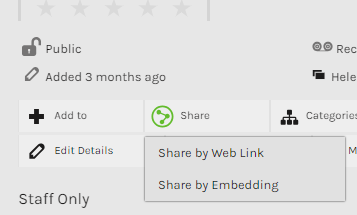
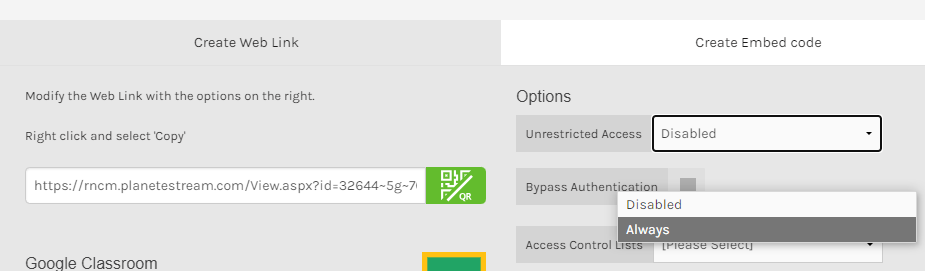
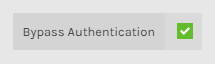
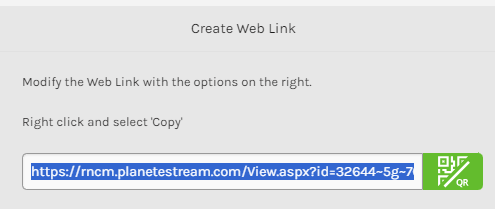
In the unlikely event that you cannot upload it through the Assignment 'Upload Video or Audio File' area you can upload it to Planet eStream (see instructions below), YouTube or other video or file sharing service and then paste the link in the Online Text part of the Assignment (as also shown in the video). The best service to use may vary depending on where you are in the world as, for example, YouTube is not available everywhere.
If you do use YouTube remember that you cannot upload videos more than 15mins long if you are not a verified user (
details here). Y
ou must also ensure that your video is set to "unlisted" - this means that it can only be viewed by people who have the link. If you make your video private then the marker may not be able to view it, and you may receive a mark of 0%.
Try and make sure that you upload your video well before the deadline in case you have any problems. If you do have problems contact PASS@rncm.ac.uk as soon as possible BEFORE THE DEADLINE to let them know.